Planning to move your WordPress website to a new hosting provider, server, or domain?
I’m Akaeid Hasan, a Bangladesh-based WordPress Developer helping businesses and website owners migrate their WordPress websites with careful planning, secure backups, and thorough testing.
Whether you’re switching hosting providers, changing your domain, or moving to a better server, I can help you manage the technical process while minimizing disruption to your website.
Moving a website involves more than transferring files from one server to another.
Your WordPress database, media files, plugins, themes, configurations, and website functionality must work correctly in the new environment.
Without proper planning, migration issues can lead to broken pages, missing images, database errors, email problems, or temporary website downtime.
My WordPress migration service focuses on protecting your existing website and ensuring that important functionality is checked before and after the move.
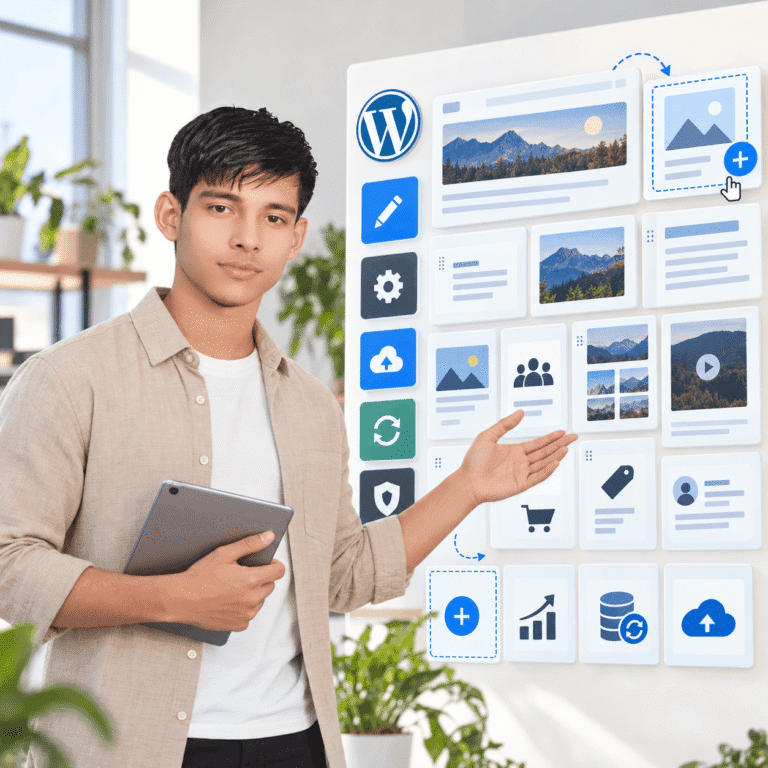
Every website has different technical requirements. I offer migration assistance based on your current setup, website size, and destination.
Want to move your website to a different hosting provider?
I help transfer WordPress files, databases, and essential configurations to a new hosting environment.
The process includes compatibility checks, configuration updates, and website testing before the final transition.
Changing your website’s domain name?
I can help move your WordPress website to a new domain while addressing important technical details such as URL updates, internal links, SSL configuration, and redirects.
When URLs change, I plan appropriate redirects to help visitors and search engines find the new locations.
Moving from shared hosting to a VPS, cloud server, or another hosting environment?
I help prepare your WordPress website for the new server and check its compatibility with the available PHP version, database, and hosting configuration.
Migrating an online store requires additional attention.
I can assist with moving WooCommerce website data, including products, customers, and orders, while checking essential shopping features.
Depending on your store’s activity, the migration may require a planned maintenance window or final data synchronization to prevent missing transactions.
Need assistance moving your website from an existing backup?
I can help assess your available backup files, restore the WordPress installation, and check whether the database, media, themes, and plugins are working correctly.
The recovery options depend on the completeness and condition of your backup.
Ready to move a completed WordPress website from staging to your live domain?
I help transfer the site to its production environment and verify essential settings, links, forms, and responsive layouts.
Before starting, I review the existing WordPress setup and migration requirements to identify potential compatibility or configuration issues.
I prioritize creating a usable backup of important website files and database information before making migration changes.
A successful migration means more than opening the homepage.
I check important features such as navigation, images, contact forms, plugin functionality, and other agreed-upon website components.
When a migration includes URL changes, I pay attention to redirects, internal links, canonical URLs, indexing settings, and XML sitemaps.
My goal is to reduce avoidable technical SEO problems during the transition.
You communicate directly with me about your website requirements, migration plan, and technical concerns.
I explain the process clearly so you understand what needs to happen before your website moves.
If your website also needs improvements, I offer related services such as WordPress website speed optimization and website maintenance and support.
I follow a structured approach based on your website’s configuration and the type of migration required.
I review your current hosting environment, WordPress installation, database, website size, and important functionality.
This helps determine the migration method and potential challenges.
Before transferring the website, I prepare backups of the relevant WordPress files and database.
I also review the destination hosting environment and confirm its technical requirements.
I transfer the required website files and database to the destination environment.
I update the necessary WordPress settings and configurations to connect the site to its new location.
Before completing the migration, I check the website’s essential features.
Depending on the project, this may include:
Once the destination website is ready, I help complete the final transition.
I verify important functions after launch and address migration-related issues covered by the agreed project scope.
Your website may already have indexed pages, backlinks, and established search visibility.
A poorly planned domain migration can create unnecessary search engine problems.
For migrations involving URL changes, I consider the following:
Where necessary, old URLs should redirect to their corresponding new pages rather than sending every visitor to the homepage.
Navigation, page links, and other internal references should point to the appropriate destination URLs.
Canonical references should reflect the correct preferred URLs after migration.
When website URLs change, the sitemap should reflect the new website structure.
Temporary staging restrictions and accidental noindex settings should not prevent the live website from being discovered.
For relevant migrations, Search Console can help monitor indexing, redirects, and potential problems following the move.
Google provides detailed recommendations in its official website migration documentation.
Although search visibility may fluctuate after significant URL changes, careful planning can reduce avoidable technical mistakes.
My migration assistance is suitable for website owners who need to move their websites without rebuilding everything from the beginning.
Move your existing business website to a different hosting environment while keeping your important pages and content.
Transfer your online store with attention to product data, customer information, and essential purchasing functionality.
Move your WordPress blog while preserving posts, categories, images, and existing website structure.
Transfer your portfolio to a different hosting provider or domain without unnecessarily rebuilding your design.
Get assistance transferring WordPress websites between development, staging, and production environments.
Sometimes migration is only one part of a bigger website improvement project.
If your existing website needs additional work, I can also help with:
Improve an outdated website’s layout, usability, and mobile experience.
Explore my WordPress website redesign service.
Need custom functionality, additional pages, or a new website structure?
Learn more about my WordPress website development services.
After migration, performance can be evaluated to identify opportunities for improvement.
Explore my website speed optimization service.
Keep your WordPress website updated and receive assistance with ongoing technical maintenance.
Learn about my website maintenance and support service.
A WordPress migration service helps transfer an existing WordPress website from one hosting provider, server, domain, or environment to another.
The process typically involves moving website files and databases, updating configurations, and verifying that the website functions correctly after the transfer.
For many WordPress websites, careful preparation and staging can help minimize downtime.
However, the exact level of disruption depends on the hosting environments, DNS configuration, website complexity, and migration requirements.
I review these factors before planning the transition.
Preserving existing website content is a primary objective of the migration process.
I prioritize backups and verify essential website data after the transfer.
The available recovery options depend on the condition of the original website and its backups.
Moving between hosting providers while keeping the same URLs generally presents different SEO considerations from changing domains or URL structures.
When URLs change, redirects, canonical settings, internal links, and indexing configurations become particularly important.
I include relevant technical SEO checks in the migration plan to reduce avoidable issues.
The timeline depends on your website’s size, hosting environment, database, plugins, and technical requirements.
A straightforward website transfer may be relatively quick, while a complex WooCommerce website or domain migration can require additional preparation and testing.
I can discuss a realistic timeline after reviewing your website.
Yes, I can help assess and plan WooCommerce website migrations.
Active stores may require additional precautions to protect recent orders, customer information, and other data created during the migration.
To assess your project, I typically need your current website URL, destination hosting details, the type of migration required, and information about any important website functionality.
Secure access requirements can be discussed after the project scope is agreed upon.
Whether you’re changing hosting providers, moving to a new domain, or transferring your WordPress website to another server, I can help you plan the process.
Tell me about your existing website and where you want to move it.
I’ll review your requirements and discuss a suitable migration approach.
Have a website migration question? Send me your website URL and a brief description of your requirements.
contact@akaeidhasan.com
https://wa.me/8801580726459
https://akaeidhasan.com/
Built with by Akaeid Hasan | WordPress Frontend Developer
© 2025 All rights reserved.